6. Process Notion to Hugo Relearn
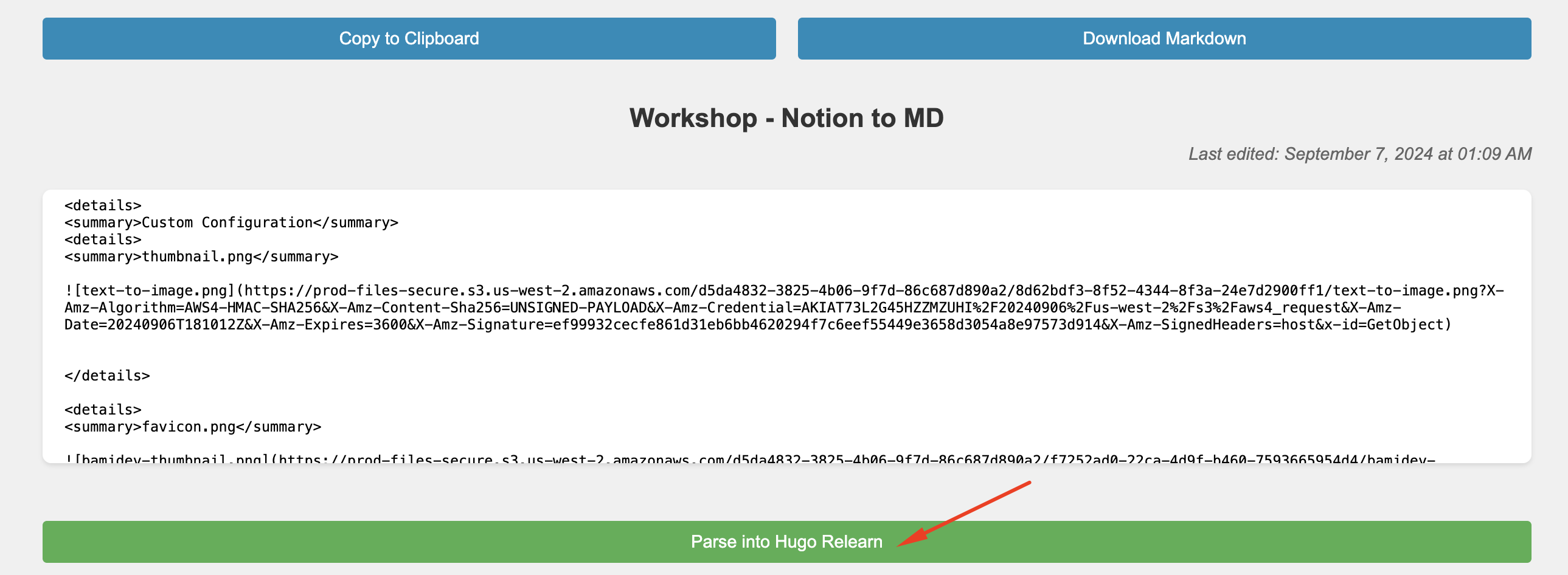
Open Notion to MD, fill in the required information, and proceed to the step where you click “Parse into Hugo Relearn.”
Fill in the Sync to GitHub section with your GitHub token and repository URL, then click “Sync to GitHub.”
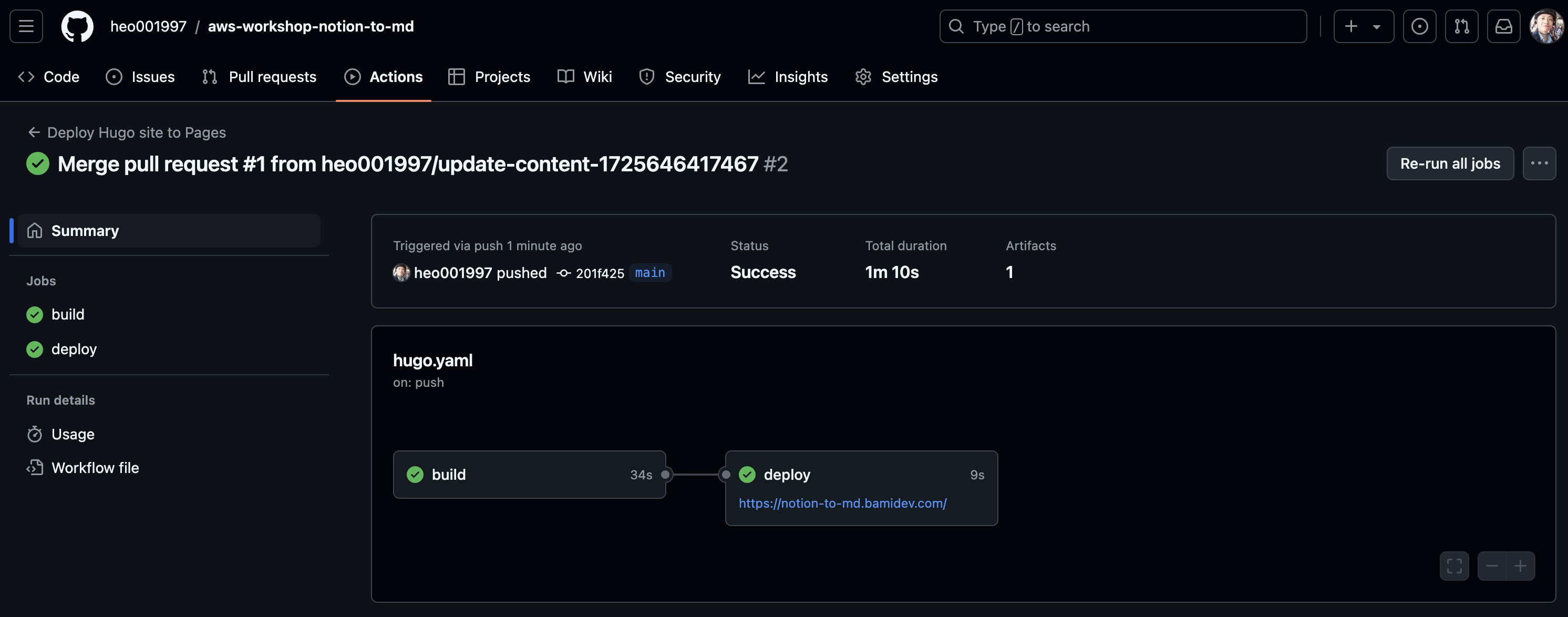
Once the sync is complete, you can check the GitHub Action to ensure everything is functioning properly.
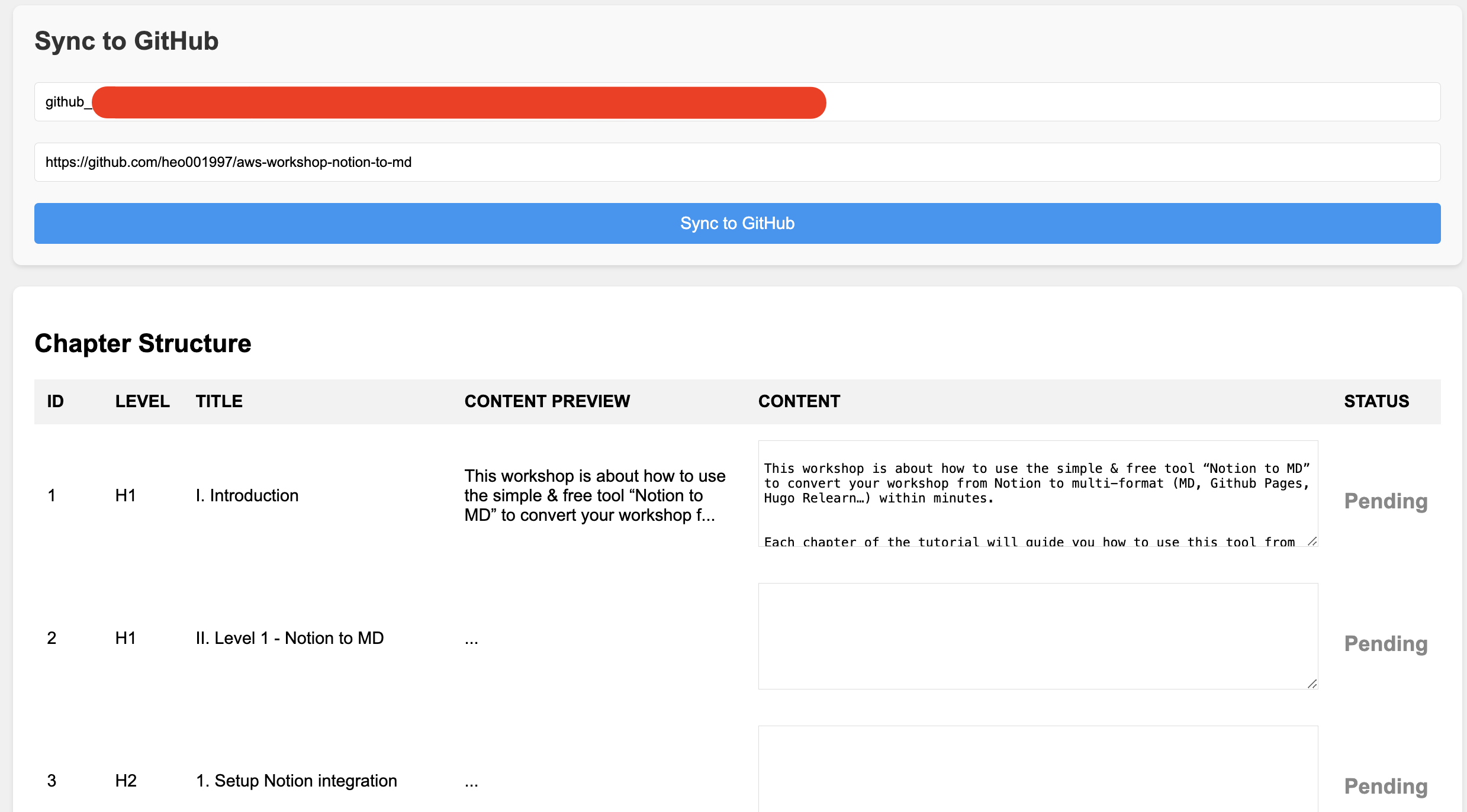
Sync complete

Let’s check the GitHub Action, it’s ok now
Double check your website ⇒ everything is ok now.
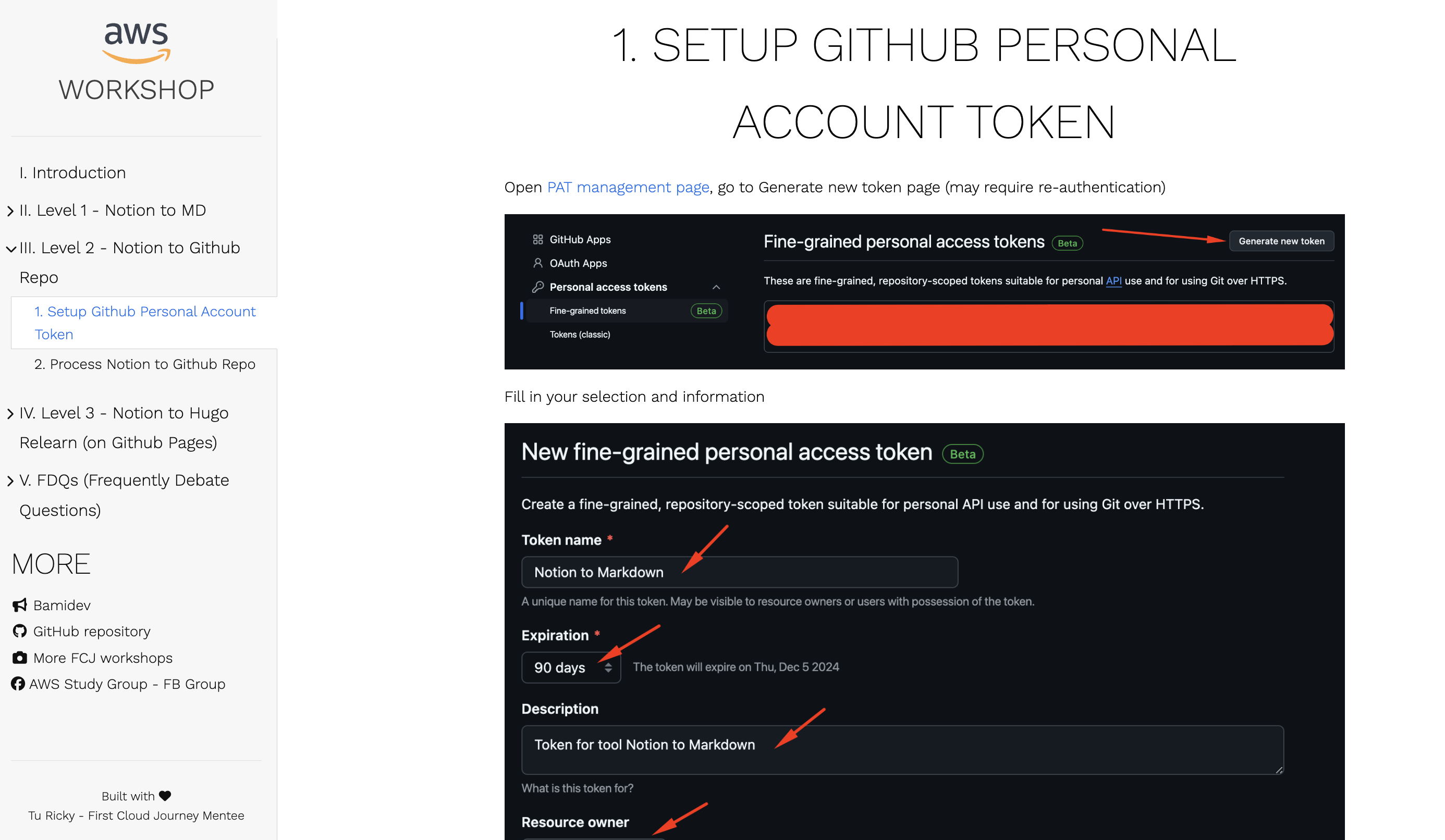
Congratulations! You have successfully utilized the Notion to Markdown tool to its fullest extent.